Remove Background from Image Online Free with AI

Upload image to remove background from JPG, PNG, WebP photo. Cloud AI by default, browser fallback.

or drop the image here

About this tool

Remove background and remove image clutter from any photo online free with AI in just a few seconds. Upload image as JPG, PNG, or WebP and our cloud AI removes the background using the BiRefNet model, the same architecture remove.bg uses internally. The result downloads as a transparent background PNG or WebP at your original resolution, or a JPEG on a solid white background. Ideal for a profile picture upload, e-commerce product cutout, or any social media post that needs a clean subject. Your image is auto-deleted within minutes on the cloud path. Files over 5 MB fall back to an in-browser AI that runs entirely on your device with zero outbound image requests. This free online remove background tool fits e-commerce sellers, social media creators, designers, and anyone who needs a fast clean cutout.

Open the remove background tool
How to remove background from image online for social media

How to remove background from image online for social media

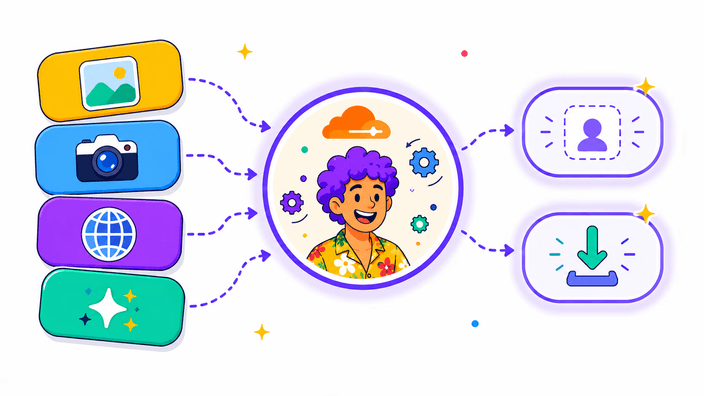
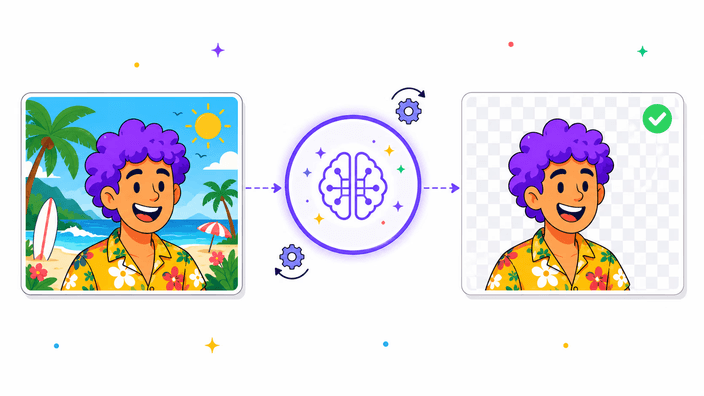
Upload image as JPG, PNG, or WebP and the tool separates the subject from the background, returning a transparent background PNG you can drop onto any color, scene, or layout for social media or web. Works on people, products, pets, food, furniture, and most everyday objects. You don't trace anything by hand: AI does one pass and you inspect the result before downloading. Useful for product catalog photos, social media cutouts, profile picture uploads, and marketing assets.

Remove background now
Free online, no watermark on the output

Free online, no watermark on the output

There is no watermark on the output, and no per-image limit. Cloud usage is capped per IP per day to keep the free online tier sustainable, the limit is generous for normal use and you only hit it if you process dozens of images in a row. When you do hit it, the in-browser fallback takes over automatically. The site is supported by a single ad below the tool, so the remove background flow itself stays clean and uncluttered.

Remove background now
Honest privacy: what happens to your image when you upload

Honest privacy: what happens to your image when you upload

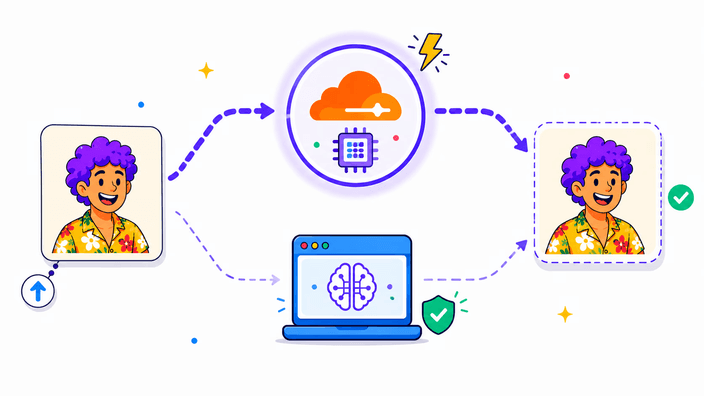
On the cloud path, your image is processed on a secure Cloudflare edge, the staging copy is deleted on success, and an R2 lifecycle rule auto-deletes orphans within one hour. We never log your image, never share with third parties, no tracking pixel. If you need a guarantee that bytes never leave the device, use the tool offline or disable network access. The in-browser fallback takes over and zero outbound image requests appear in DevTools, returning a transparent background result locally.

Remove background now
How the AI runs: cloud first, browser fallback

How the AI runs: cloud first, browser fallback

By default, the upload image goes to our Cloudflare Worker which runs the BiRefNet segmentation model on Cloudflare's edge GPUs. A typical photo finishes in three to five seconds. Once the cutout returns, the staging copy is deleted from our temporary R2 bucket. If the cloud is unreachable, your network drops, you are behind a corporate firewall, the daily quota is full, or your file exceeds the 5 MB cloud cap, the tool silently falls back to the open-source ISNet model running locally in your browser via ONNX Runtime.

Remove background now
What the AI handles well and where it struggles

What the AI handles well and where it struggles

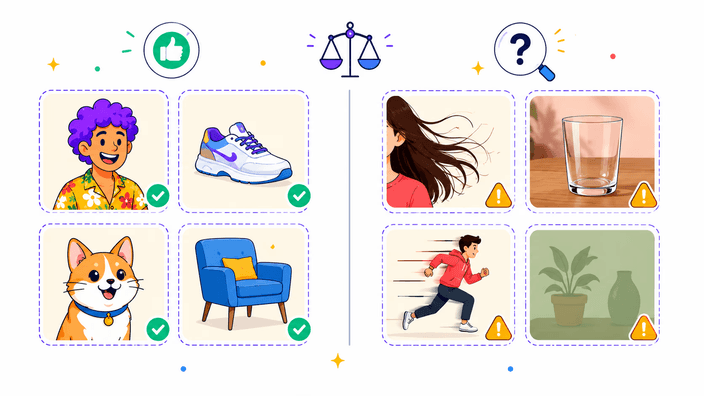
Works well: portraits, products on any background, pets, food, furniture, cars, and everyday objects on complex scenes. Both BiRefNet and ISNet were trained to separate subjects from real-world backgrounds, not just flat studio backdrops. Hair and fur are handled well: BiRefNet uses the same architecture as remove.bg and recovers fine edges cleanly. Struggles with: glass bottles with liquid, mirror reflections, thin fabrics, and low-contrast subjects (a white cat on a white couch). When cloud has artifacts, try re-running. The fallback model sometimes handles the same image differently.

Remove background now
Input and output formats for any profile picture or product photo

Input and output formats for any profile picture or product photo

Upload image as JPG, JPEG, PNG, or WebP, the formats both engines decode reliably with full color fidelity. Maximum file size on the cloud path is 5 MB. Larger files route to the in-browser engine which has no hard cap. HEIC from iPhones: convert to JPG first with our Convert tool. Output choices: PNG (lossless, transparent background, the default and safest for further editing), WebP (also transparent, lossy, typically 30 to 70 percent smaller than PNG), or JPEG flattened onto white for tools that cannot read alpha. Perfect for a profile picture upload anywhere.

How to crop a photo into a circle

  1. Upload image

    Open the tool and drop a JPG, PNG, or WebP file onto the upload area, or click to browse for the file on your device.

  2. Wait for AI cutout

    BiRefNet on Cloudflare edge processes your image in 3-5 seconds. If the cloud is unreachable, in-browser ISNet runs locally instead.

  3. Pick output format

    Choose PNG (lossless transparent background), WebP (transparent, smaller), or JPEG (white background) on the done screen.

  4. Download result

    Click Download to save the cutout to your device. Original auto-deletes from our cache within minutes.

Need to crop, resize, or compress the cutout?

After removing the background, you may want to crop to a profile picture shape, resize to a social media size, or compress to a smaller file. Each tool stays on the same browser-side rails.

Frequently asked questions

How to remove background from image online?

Upload image to the remove background tool. Our cloud AI processes it via the BiRefNet model in 3-5 seconds and returns a transparent background PNG, WebP, or white-background JPEG. If the cloud is unreachable, an in-browser fallback runs locally for free online use. The whole process is free, no watermark.

Does this remove background tool support transparent PNG output?

Yes. PNG is the default output and preserves the transparent background as alpha. WebP also supports transparent output, smaller file at similar quality. JPEG cannot store alpha, so the JPEG option flattens the cutout onto a chosen background color (white by default). For a profile picture upload that needs transparency, pick PNG or WebP.

Is the background removal upload image processed on a server?

By default yes, on the Cloudflare cloud path with BiRefNet. The staging copy is deleted on success, with a 1-hour R2 lifecycle as backup. If you need a hard "never uploads" guarantee, disable network or upload a file larger than 5 MB to force the in-browser fallback. That path runs entirely in your browser with zero outbound image requests.

How well does the AI work on hair, fur, or transparent objects?

Hair and fur are strong points: BiRefNet uses the same architecture as remove.bg and recovers fine edges cleanly. Struggles with glass bottles, mirror reflections, thin fabrics, and low-contrast subjects (white cat on white couch). When the cloud result has visible artifacts, try re-running, the fallback engine sometimes handles the same image differently. Both are AI models with different failure modes.

What sizes are best for social media or profile picture uploads?

Recommended profile picture sizes: Instagram 320×320, Twitter 400×400, LinkedIn 400×400 (800×800 retina), Discord 1024×1024, Facebook 360×360, WhatsApp 500×500. After removing the background, use our Crop or Resize tool to set the exact dimensions for the social media platform where you want to upload image.

Is this remove background tool truly free and unlimited?

Free with no watermark on the output. Cloud usage is capped per IP per day for sustainability, but the limit is generous for normal use. If you hit the cap, the in-browser fallback takes over automatically for the rest of the day. You can keep working, just a bit slower.

The details

Notes from the team on craft, formats, and the small decisions behind a good round crop.

BiRefNet and what makes it accurate on edges
BiRefNet (Bilateral Reference Network) is a 2024 segmentation architecture trained on photographic and product imagery. It uses a dual-stream encoder where one stream captures global context and the other refines local boundaries. The model excels at hair, fur, fine textures, and translucent edges where simpler U-Net designs leave halos. The cloud path runs BiRefNet on a Cloudflare Worker calling ImageKit's inference endpoint. Average latency on an 8 MP image is 3-5 seconds end to end, including upload and download. Apache 2.0 license.
ISNet: the browser fallback model
ISNet ships as the in-browser fallback when the cloud is unreachable, the per-IP daily cap is hit, or the file exceeds 5 MB. It runs via the @imgly/background-removal library using ONNX Runtime Web. First load downloads about 80 MB of weights (cached afterward in IndexedDB). Typical inference time on a Pixel 5 or mid-range desktop is 6-12 seconds. ISNet is Apache-2.0 licensed and uses the same training methodology as the original U2-Net family but with attention refinement, which improves edges around hair, fur, and translucent boundaries compared to plain U-Net designs.
Why we run BiRefNet on the cloud, not the browser
BiRefNet weights are 350 MB and need a GPU to run at reasonable latency. Shipping that to the browser would require either a 10-minute first-run download or a server roundtrip. We chose the server roundtrip for the default cloud path because it delivers high quality fast. The in-browser ISNet fallback is the privacy-first option and the rate-limit fallback at the same time. Both paths share the same UX, you do not pick the engine. The dispatcher routes silently based on file size, network state, and per-IP daily quota.
Privacy: what we store, what we delete
On the cloud path, your image is staged in a Cloudflare R2 bucket for the duration of the inference call (typically 3-5 seconds), then deleted on success. An R2 lifecycle rule auto-deletes any orphans within 1 hour as a safety net. We do not log image content, do not share with third parties, do not use uploads for training. On the in-browser path, the image is processed locally via WebAssembly with no network call after the model weights load. Verify this in DevTools Network tab during a remove background run.
When to use the cloud path vs the browser fallback
Use the cloud path (default) when speed and quality matter most: 3-5 seconds with BiRefNet's edge accuracy. Use the in-browser fallback when you need absolute privacy with no network call, when you have a file larger than 5 MB, or when you are behind a strict corporate firewall. The fallback is automatic, you do not choose. The done screen does not surface which path ran, so you can rely on consistent UX regardless of network state. This keeps the remove background flow predictable.
Common edge cases and how to handle them
Transparent or semi-transparent objects (glass bottles, plastic bags, sunglasses) confuse both models because there is no clean foreground/background boundary. Mirrors and reflective surfaces may have parts of the scene appearing inside the subject. Thin fabrics with backlighting blur the boundary. White subjects on white backgrounds (cat on couch) can lose detail. If a cloud result has artifacts, try uploading the same image again to trigger the fallback engine, which sometimes handles the same case differently due to different training data.